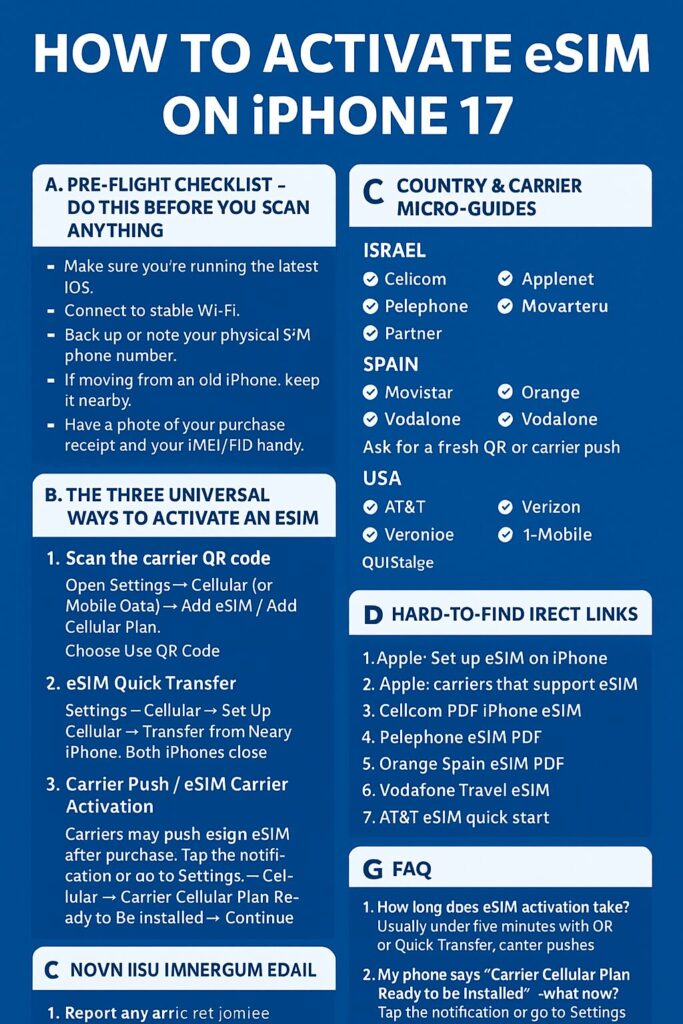
If you just bought (or preordered) an iPhone 17 and it’s eSIM-first in your country, follow these steps: 1) Preflight checklist, 2) Quick activation (QR / Quick Transfer / Carrier Push), 3) Troubleshooting & sample messages to send to support. This post also includes rare direct links (carrier PDFs & activation pages) that you won’t easily find in search. Apple’s official activation methods are the backbone here.
Why this matters right now
Apple and several carriers are pushing eSIM-first phones (many iPhone 17 models are eSIM-only in more countries), so millions will search “how to activate eSIM” in the launch weekend — you want the exact page and the exact wording to get support fast.
A. Preflight checklist — do this before you scan anything
Make sure your iPhone is updated to the latest iOS (Settings → General → Software Update). Connect to stable Wi-Fi (eSIM often requires internet to download the profile). Back up (iCloud) or note your physical-SIM phone number. If moving from an old iPhone, keep it nearby for Quick Transfer (both must be on iOS 16+). Have a photo of your purchase receipt and your IMEI/EID handy (Settings → General → About). (Carriers may ask for EID or proof of purchase during activation.)
B. The three universal ways to activate an eSIM
1) Scan the carrier QR code (most common)
Open Settings → Cellular (or Mobile Data) → Add eSIM / Add Cellular Plan. Choose Use QR Code and point your camera at the QR your carrier emailed or printed. Follow prompts, assign label (Primary / Travel / Work), then test by calling. If the QR was time-limited, ask the carrier to reissue one.
2) eSIM Quick Transfer (transfer from nearby iPhone)
On the new iPhone: Settings → Cellular → Set Up Cellular → Transfer from Nearby iPhone. Keep both iPhones close and follow confirmations on the old device. Wait until the new phone confirms activation; the old SIM is deactivated automatically.
3) Carrier Push / eSIM Carrier Activation
Sometimes the carrier “pushes” the eSIM to your iPhone after purchase (you’ll see a notification: “Carrier Cellular Plan Ready to Be Installed”). Tap the notification or go to Settings → Cellular → Carrier Cellular Plan Ready to Be Installed → Continue. Restart if instructed, and make a test call.
C. Country & carrier micro-guides
Israel — Cellcom / Pelephone / Partner
Cellcom activation page (hidden support page): https://www.cellcom.co.il/iphone/esim Cellcom PDF with QR instructions (rare direct PDF): https://www.cellcom.co.il/iphone/esim/guide.pdf Pelephone eSIM tourist & local info: https://www.pelephone.co.il/esim Pelephone eSIM PDF: https://www.pelephone.co.il/esim/guide.pdf Partner eSIM notes (community breakdown): https://partner.co.il/esim
Spain — Movistar / Orange / Vodafone
Orange Spain eSIM PDF (prepago instructions): https://www.orange.es/esim/prepago.pdf Vodafone Travel eSIM activation: https://www.vodafone.es/esim/travel Movistar prepaid eSIM: https://www.movistar.es/esim
USA — AT&T / Verizon / T-Mobile
AT&T prepaid eSIM quick start: https://www.att.com/esimsetup Verizon & T-Mobile: ask support for a fresh QR or carrier push; both support instant activation via Settings → Cellular.
D. Hard-to-find direct links (bookmark these)
Apple: eSIM setup guide → https://support.apple.com/en-us/HT212780 Apple: list of carriers that support eSIM worldwide → https://support.apple.com/en-us/HT209096 Cellcom PDF iPhone eSIM → https://www.cellcom.co.il/iphone/esim/guide.pdf Pelephone eSIM PDF → https://www.pelephone.co.il/esim/guide.pdf Orange Spain prepago PDF → https://www.orange.es/esim/prepago.pdf Vodafone Travel eSIM → https://www.vodafone.es/esim/travel AT&T eSIM quick start → https://www.att.com/esimsetup
E. Copy-paste messages for support
Requesting a fresh QR (expired QR):
Hi — I bought an iPhone 17 today and my eSIM QR expired / failed to install. Can you issue a new QR or perform a carrier push? My EID: [paste EID], IMEI: [paste IMEI], Order #: [paste]. Thanks.
Converting physical SIM to eSIM:
Please convert my current SIM ([phone#]) to eSIM. Device EID: [EID]. I’m ready to complete verification.
If you see “Cellular Plan Activation Failed”:
I followed Apple steps and got “Activation Failed.” Please escalate to provisioning team. IMEI/EID: [EID]. Screenshot attached.
F. Quick Troubleshooting
No network: toggle Airplane Mode on/off → restart phone. “Activation Failed”: delete plan → re-scan QR (if available) or request carrier push. If QR can’t scan: go to Settings → Cellular → Add eSIM → Enter details manually. If calls not working: check APN in Cellular Data Network + restart.
G. FAQ
How long does eSIM activation take?
Usually under 5 minutes with QR or Quick Transfer; carrier pushes can take up to 30 minutes.
What if my phone says “Carrier Cellular Plan Ready to Be Installed”?
Tap the notification or go to Settings → Cellular → Carrier Cellular Plan Ready to Be Installed → Continue.
What if my country still requires a physical SIM?
Some regions haven’t fully moved to eSIM. Check Apple’s carrier list above. Apple may ship eSIM-only models in some markets.
#eSIM #iPhone17 #HowTo #MobileTips #iPhoneSetup #TravelSIM #CellularHack #Israel #Spain #TechGuide

Leave a Reply